Experience liftoff with the next-generation IDE
Honest, detailed comparison of the top 3 AI IDEs in 2025
🚀 Antigravity (Google)
Multi-Agent + Verifiable Artifacts + Browser/Terminal Control — Free public preview with generous limits. Best for teams wanting "Agent-First" development.
🌊 Windsurf
Cascade Flow + Previews/Deploy + Rules/Memory + MCP — All-in-one IDE. Best for mid-large codebases and team collaboration.
⚡ Cursor
Composer/Agent/Edit Modes + Cloud Background Agents + Bugbot — Highly customizable. Best for individuals and small teams wanting deep control.
| Feature |
Antigravity
Google
|
Cursor
Anysphere
|
Windsurf
Codeium
|
|---|---|---|---|
| 💰 Pricing | FREE (Public Preview) | $20/month (up to $200/month) | $15/month |
| 🤖 AI Models |
Gemini 3 Pro
+ Claude Sonnet 4.5 + GPT-OSS
|
Claude 3.5 Sonnet
+ GPT-4
|
Cascade
+ Claude + Custom
|
| 🎯 Multi-Agent Support | Manager View |
Cloud/Background |
Cascade Multi-Step |
| 🌐 Browser Control | |||
| 📝 Verifiable Artifacts | Plans/Screenshots/Logs |
Checkpoints/PR |
Previews/Deploy |
| 🔌 MCP Support | Coming Soon | + Plugin Store |
|
| 💡 Rules & Memory | Built-in |
||
| 🖥️ Platform Support |
Win • Mac • Linux
|
Win • Mac • Linux
|
Win • Mac • Linux
|
| 🏢 Best For |
Agent-First Teams
Early Adopters • Complex Projects
|
Deep Customization
Solo Devs • Small Teams
|
All-in-One IDE
Mid-Large Codebases
|
"Available in free preview now… supports browser control and provides proof of its work."
— The Verge on Antigravity
"Built to keep you — and your team — in flow."
— Windsurf Official
"Cursor Chat… three modes: Agent, Edit and Ask."
— Feature Radar on Cursor
FREE
Public Preview
Perfect for:
Early adopters • Teams wanting agent-first development • Complex multi-surface projects • CI/CD automation
$20-200/mo
Flexible Plans
Perfect for:
Solo developers • Small teams • Those wanting deep customization • Fast prototyping
$15/mo
Best Value
Perfect for:
Mid-large codebases • Teams • All-in-one IDE lovers • Good value seekers
The only AI IDE that's 100% free, powered by Google's latest Gemini 3 Pro, with unique features like browser automation, verifiable artifacts, and multi-agent orchestration that Cursor and Windsurf don't have.
Join the conversation about Google Antigravity IDE
Watch Google Antigravity IDE in action
Antigravity introduces a unique three-surface architecture that goes beyond traditional IDEs
Orchestrate and monitor multiple AI agents working on your project simultaneously. Manage tasks, track progress, and coordinate agent activities from a centralized dashboard.
A familiar VS Code-style editing environment enhanced with AI-powered features. Write, edit, and review code with intelligent suggestions and agentic assistance.
Deep Chrome extension integration allows agents to directly test and interact with the web applications they're building, providing real-time feedback and validation.
Auto-generated documentation that keeps you informed
Antigravity automatically creates comprehensive Markdown artifacts as your agents work, providing transparent insights into the development process.
Dynamic task tracking with real-time updates as agents progress
Detailed roadmaps showing the agent's strategic approach
Comprehensive summaries of completed work and outcomes
In the Agent-First Era
Whether you're a professional developer in enterprise, a hobbyist vibe-coding in spare time, or anywhere in between - Antigravity adapts to your workflow
Streamline UX development by leveraging browser-in-the-loop agents to automate repetitive tasks and test UI in real-time.
Build production-ready applications with thoroughly designed artifacts and comprehensive verification tests across the entire stack.
Streamline operations and reduce context switching by orchestrating multiple agents across workspaces using the Agent Manager.
Every advancement in model intelligence for coding has encouraged us to rethink how development should be done. The Integrated Development Environment (IDE) of today is a far cry from the IDE of just a few years ago. Gemini 3, our most intelligent model, represents a step-change for agentic coding, and requires us to think about what the next step-change of an IDE should be.
Today, we introduce Google Antigravity, our new agentic development platform. Powered by Gemini 3, Google's latest and most advanced AI model, Antigravity delivers a familiar AI-powered IDE experience while evolving towards an agent-first future. With browser control capabilities, asynchronous interaction patterns, and an agent-first product form factor, Gemini 3 enables agents to autonomously plan and execute complex, end-to-end software tasks.
Unlike traditional IDEs or even first-generation AI coding assistants, Antigravity treats agents as first-class citizens. Agents don't just suggest code - they plan entire features, execute across multiple surfaces (editor, terminal, browser), verify their own work, and learn from your feedback to continuously improve.
Four key tenets that make Antigravity the most advanced AI IDE available today
Antigravity provides context on agentic work at a more natural task-level abstraction, with the necessary and sufficient set of artifacts and verification results, for you to gain trust.
Agents can operate across all surfaces simultaneously and autonomously, with a form factor that exposes this autonomy optimally and allows you to interact asynchronously.
Intuitive async user feedback across every surface and Artifact, whether it be Google-doc-style comments on text or select-and-comment feedback on screenshots.
Antigravity treats learning as a core primitive, with agent actions both retrieving from and contributing to a knowledge base for continuous improvement.
View the Agent's task list, review the implementation plan post-research and pre-implementation, or scan the walkthrough at completion. Everything is transparent and verifiable.
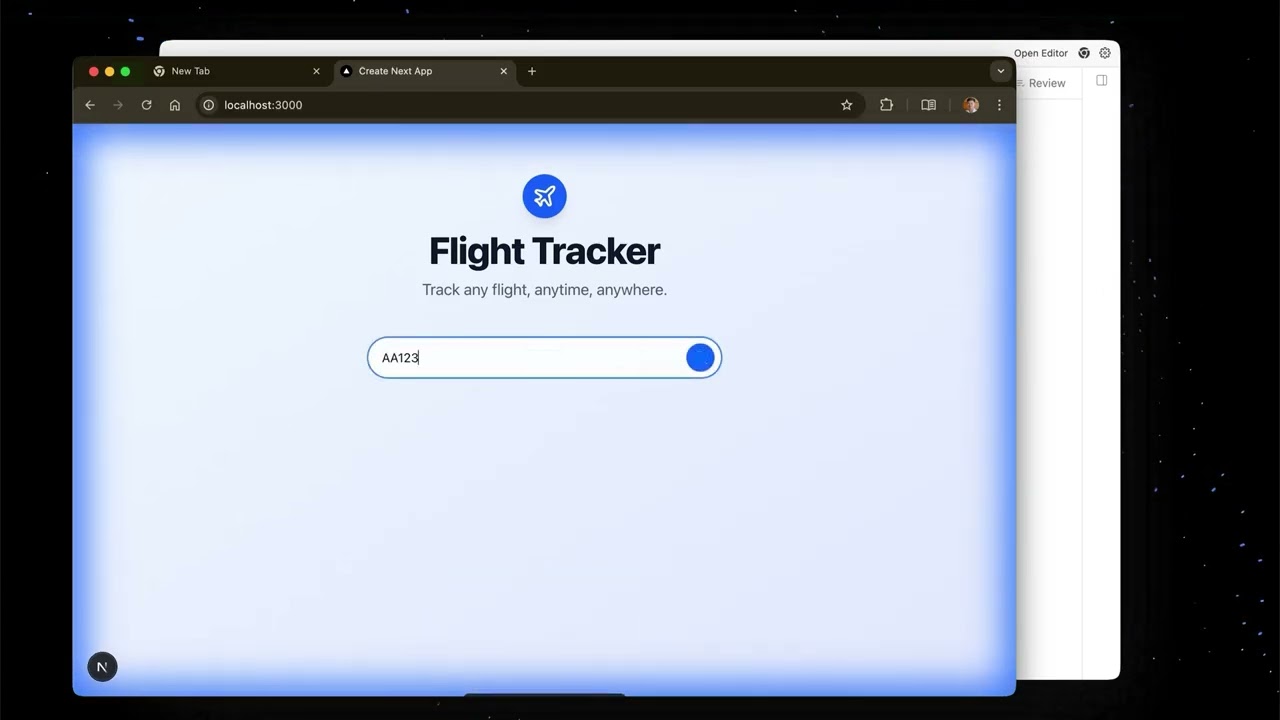
Watch how an Antigravity Agent autonomously writes code for a new frontend feature, uses the terminal to launch localhost, and actuates the browser to test that the new feature works - all without manual intervention.
Spawn an Agent to do background research in a different workspace while focusing on a more involved task in the foreground. Use the Inbox and side panel to be notified of progress across all your agents.
See examples of feedback on textual Artifacts (like implementation plans) and visual Artifacts (like screenshots taken by the Agent). Guide your agent just like you'd comment on a Google Doc.
Everything you need for modern software development
Able to autonomously operate across your editor, terminal, and browser. Plan, execute, and verify complex software tasks independently.
Deliverables from the Agent to communicate its progress. Task lists, implementation plans, screenshots, and verification results.
Fully-featured AI-powered IDE with Tab completion, natural language Commands, embedded Agents, and all VS Code extensions.
Your mission control to manage multiple agents in parallel, across multiple workspaces. The only IDE with this capability.
Leave comments and feedback on any Artifact to better guide the Agent. Just like commenting on Google Docs.
Manage higher-level tasks for the Agent, not individual tool calls. Think in terms of features, not functions.
Antigravity learns from conversations to populate a reusable knowledge base. Gets smarter with every project.
Everything you need to know about Google Antigravity IDE
A: Yes! Google Antigravity is 100% free during the public preview with generous rate limits on Gemini 3 Pro usage. You can use all features at no cost.
A: Antigravity is the only AI IDE with: (1) Built-in browser automation, (2) Multi-agent orchestration via Agent Manager, (3) Powered by Google's latest Gemini 3 model, and (4) Completely free. See our detailed comparison table.
A: Antigravity supports three powerful models: Gemini 3 Pro (Google's latest), Claude Sonnet 4.5 (Anthropic), and GPT-OSS (OpenAI's open-source models). You can switch between them based on your needs.
A: Mac: macOS 12+ (Monterey or later). Windows: Windows 10 64-bit or later. Linux: glibc >= 2.28, glibcxx >= 3.4.25 (Ubuntu 20+, Debian 10+, Fedora 36+, RHEL 8+).
A: Yes! Antigravity is built on VS Code, so you can easily import your settings, extensions, and keybindings from VS Code or Cursor. Your familiar development environment carries over seamlessly.
A: The Agent Manager is a unique feature that lets you run multiple AI agents simultaneously across different workspaces. For example, one agent can research APIs while another builds your frontend - all managed from a single dashboard. No other AI IDE has this capability.
A: Antigravity includes an integrated Chrome browser that agents can control directly. After writing code, agents can automatically launch your app, interact with it in the browser, take screenshots, and verify functionality - all without leaving the IDE.
A: Yes. Google Antigravity follows Google's privacy and security standards. Your code is processed to provide AI assistance but is not used to train models. Review the Privacy Policy for complete details.
A: Antigravity supports all major programming languages including JavaScript/TypeScript, Python, Java, C++, Go, Rust, PHP, Ruby, and more. If VS Code supports it, Antigravity supports it.
A: Google provides "generous rate limits" that refresh every 5 hours. Most developers will never hit these limits during normal use. If you do, you'll get clear notifications and can continue after the refresh period.
Join thousands of developers building the future with Antigravity
Experience liftoff in 3… 2… 1…
No registration required. Sign in with Google when you're ready to code.